 deepnet.at
 RAD Reporter
Windows, installer without system entries
not a medical device: every report is a draft and must be reviewed by a physician.
You set diagnosis and modality – RAD Reporter writes the report.
Unless worded otherwise, every pathology description receives only the imaging features it must have in its minimal expression to count as this diagnosis; the required report elements of the examination receive the normal findings of the modality. Details enter the report only when they are given.
Medical supervision of the project by Dr. Herbert Schuster, senior consultant (OA), specialist in diagnostic and interventional radiology with the interventional specialty certification of the Austrian society ÖGIR.Dossier
About
- Self-employed radiologist since 2026.
- Long-standing speaker at national and international radiology congresses.
- Former interim head of radiology at Klinik Ottakring (Vienna).
Publications – a selection
- 2020/2021 · Peritoneal Dialysis International: contrast-enhanced ultrasound (CEUS) for the radiation-free detection of catheter leakages in peritoneal dialysis (PubMed 32546055).
- 2018 · Spectrum Urologie: MRI/ultrasound fusion biopsy of the prostate – radiological quality criteria and the role of multiparametric MRI.
- 2016 · Spectrum Onkologie (co-author): core needle biopsies in lymphoma diagnostics – an interdisciplinary diagnostic algorithm.
- 2015 · memo – Magazine of European Medical Oncology: review of thermal ablation in oncology (RFA, microwave ablation, irreversible electroporation) as an alternative to surgery.
- 2005 · European Journal of Vascular and Endovascular Surgery: combined open and endovascular stent grafting of internal carotid artery fibromuscular dysplasia – long-term results; interventional radiology (PubMed 15749033).
Topics of the publications: interventional radiology, ultrasound and CEUS, prostate MRI and fusion biopsy, tumour ablation.
The sources of RAD Reporter
Before every report the reporter queries these open sources. Patient data never leaves the computer – only the search terms go out.
Literature
Report templates
Queries included · open, no account · only search terms go out, no patient data
With RAD Reporter you formulate reports directly in the word processor you already use. You dictate or type keywords, press Ctrl+Alt+B or the synthesis button , and a fully worded draft report appears in the same place: your dictated fragments in the right place, the remaining required report elements of the examination with the normal findings of the modality. Names, dates of birth, addresses and identification numbers are replaced by placeholders on your computer before sending; you see and confirm what is transmitted. You use your own API key and need no connection to RIS or PACS. Try it free for 3 months →
Try it free –
after that it pays for itself in minutes.
If you put a specialist's hour at EUR 150 to 250, RAD Reporter only has to save 12 to 20 minutes of writing in the whole month on the SMART plan (EUR 50 a month) to pay for itself. If it saves just one minute per detailed report, that point is reached after about 20 reports – in daily reporting usually within the first days. The arithmetic in detail.
Built for medical
confidentiality.
A native Windows application, developed in Austria – with no central cloud storing patient data. Names, dates of birth, addresses and identification numbers are replaced locally by placeholders before the text goes to the AI; what goes out is shown to you first, marked in red, for confirmation (review before sending). On request the real details go back into the answer. Your API key is stored on your computer, encrypted with Windows data protection.
Bring your own key –
not tied to any AI provider.
When a new model comes out, you select it with one click in the settings. You pay for usage at the provider's own prices, directly to the provider – with no mark-up and no extra AI subscription. Updates of the 1.x version series are included in the plan.
No RIS or PACS connection,
no interface.
Nothing to change, nothing to program: at a hotkey RAD Reporter reads the selected text from any Windows program – Word, the report form of your RIS, your mail client – and puts the result in the same place. The installer has you up and running in a few minutes.
From the selected dictation through the pre-processing stage – technical terms, your own documents, literature from PubMed and the RSNA report template – to the AI request and the finished report. The example is a real run: a prostate MRI with a PI-RADS 4 lesion, for which PubMed first returned the EAU/ESUR guideline 2024 and the ACR Appropriateness Criteria, and RSNA RadReport the template “mpMRI of the prostate gland”.
Narrated by the synthetic voice “Cori” (generated locally with Piper, MIT licence; voice model trained on LibriVox recordings, public domain); the stations are captioned in English, the illustrations show the German program. 15 MB, loads only when played.
- Claude via Amazon Bedrock, ChatGPT via Azure OpenAI. For organisations with an AWS or Microsoft contract: Claude via Amazon Bedrock with the “EU only” tick (processing in EU data centres only, the place of processing is shown in the AI report) and ChatGPT via Azure OpenAI with your own resource. Enter region or address on the AI provider tab.
- PDF and browser too. Select text in a PDF (Acrobat, Foxit, Sumatra, PDF-XChange, Edge, Chrome) or on a web page – without a selection the whole text counts. The report goes into a new Word document (without Word into LibreOffice Writer). Proof-reading stays with writing programs.
- The icon bar in the document window. It moves into the window in front – Word, editor, PDF or browser – and shows all buttons there (no proof-reading in PDF and browser). Floating on the desktop it shows only the main button. If the window is closed, minimised or hidden, it waits on the desktop and returns by itself.
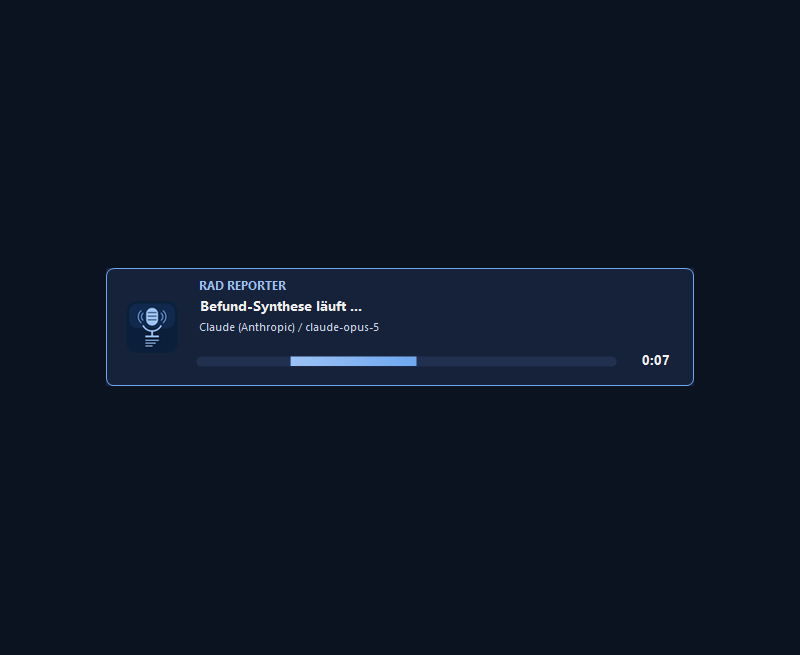
- Continuous progress bar – with Cancel. One window from reading to the finished answer: the reporter's emblem and name, the current step, provider, model and time – without gaps. Cancel stops the request at any time; the cancellation is logged with time and step and listed as “cancelled” in the archive.
- Check before sending: one table. Every item with placeholder, type and origin; uncertain items at the top in yellow. Whatever you send yellow and unticked counts as harmless from then on and is no longer marked. Right-click: always or never anonymise.
- More precise recognition. IBAN and card numbers only with a valid check digit (otherwise a yellow suspicion rather than a file number taken for an account); a form of address or role – “Mr”, “client”, “patient”, “born” – makes an uncertain name certain; law-firm and partnership names (“Gruber & Partner”) are replaced as companies.
- Narrated tutorial. The video explains every station with a synthetic voice – “Cori” on this English page, a narrator based on the “Kerstin” studio recordings (CC0, generated with Chatterbox, MIT) on the German one; both generated locally, free of third-party rights.
What exactly does RAD Reporter do
RAD Reporter waits invisibly in the background; all you see is a small bar of icon buttons at the top right of the screen. You trigger it by shortcut or button – what happens then, in detail:
Dictate as always – your own rule set writes the report.
No new program to learn: you keep working in Word, the rule set works along.Keywords become prose
Individual dictated fragments become a coherent report: the examination is recognised, its required report elements form the scaffold, and every fragment is placed where it belongs.
Complete, not patchy
Your keywords become a complete report: the required report elements of the examination are filled with the normal findings of the respective modality, your dictated fragments worked in at the right place. Blanket phrases such as “remaining structures unremarkable” are ruled out.
Dictation errors are repaired
Phonetically garbled terms are reconstructed from context; terminology, anatomy, laterality and measurements are harmonised. The corrections of the word check are listed in the AI report so that you can review them. The AI adds no pathological findings, measurements or laterality.
Word and sense check
Invented or misspelled words and correct words in the wrong place are detected: as its last rule the AI checks every word for plausibility; on request (Options) the program checks again – with Windows spell check, the texts of the request and a term list that grows by itself.
Findings and impression kept apart
The descriptive part renders your findings with the dictated imaging features – for a diagnosis named only as a word, with the features of its minimal expression. The impression interprets your findings without repeating them and without recommendations.
Correct instead of rewrite
Ctrl+Alt+K or the correction button corrects a finished report linguistically only: spelling, grammar, terminology – the medical content is left untouched.
Check marks for proof-reading
Sides, locations, measurements and classifications are highlighted in orange while you proof-read, negations in violet – so that your eye lands where reporting errors arise most often. The colours only help you read: with Ctrl+Alt+F you release the report, the marks disappear and the text stays unchanged. If the report goes into a separate Word document, a small window asks after proof-reading: Release transfers it without marks into your editor window, Cancel discards it – both close the document, and the cursor is back in your editor window. If the target program takes plain text only, such as a RIS report form, the Reporter shows the marks first in a short preview. Switched on by default, can be turned off in the options; on request the added parts are greyed out as well.
Your model, your key
You can choose Claude, ChatGPT, Mistral (EU) and Ollama locally on your computer, and for organisations with an AWS or Microsoft contract also Claude via Amazon Bedrock (processing in EU data centres only, selectable) and ChatGPT via Azure OpenAI. Google Gemini is blocked because Google prohibits its use in clinical practice, DeepSeek because processing takes place outside the EU, and OpenRouter (the model routed to cannot be controlled) and Groq (no processing in the EU). Reports are health data within the meaning of Art. 9 GDPR: use only accounts with a data processing agreement and training opt-out, preferably Mistral (EU) or local execution.
Word required – otherwise LibreOffice Writer
RAD Reporter requires Microsoft Word – standard in practices and hospitals. Without Word it needs LibreOffice Writer (free, The Document Foundation); if both are missing, an installation guide leads through the set-up in four steps and detects the finished installation by itself. The Reporter downloads nothing itself. In Word or Writer you proof-read the report before release; the text editor, rules and dossier open there too. For comparison, Writer can also be chosen instead of Word in the options.
Rules per examination
For every entry of your list – except “none” – you can store own rules AND own documents. Both are sent in addition to the general rule set as soon as the entry is selected; the pages for rules and documents follow that selection.
A guide, and a polish
A guide as a PDF explains what good rules look like: order, priority, scope, wording. Newly written rules are then ordered once by the AI itself – obligations to the top, one sentence per rule, duplicates merged; your own version is kept beside it. The mandatory rules (pathology as a word, no template, no neologisms, no questions back) always apply – also alongside an own version.
Complete and accountable
The answer arrives piece by piece while it is being written. If it does not reach the end or the connection drops midway, RAD Reporter continues it by itself and joins the parts seamlessly. After every answer a window can show what the provider reported: model, stop reason in plain words, tokens used and cache hits.
Literature cited, not invented
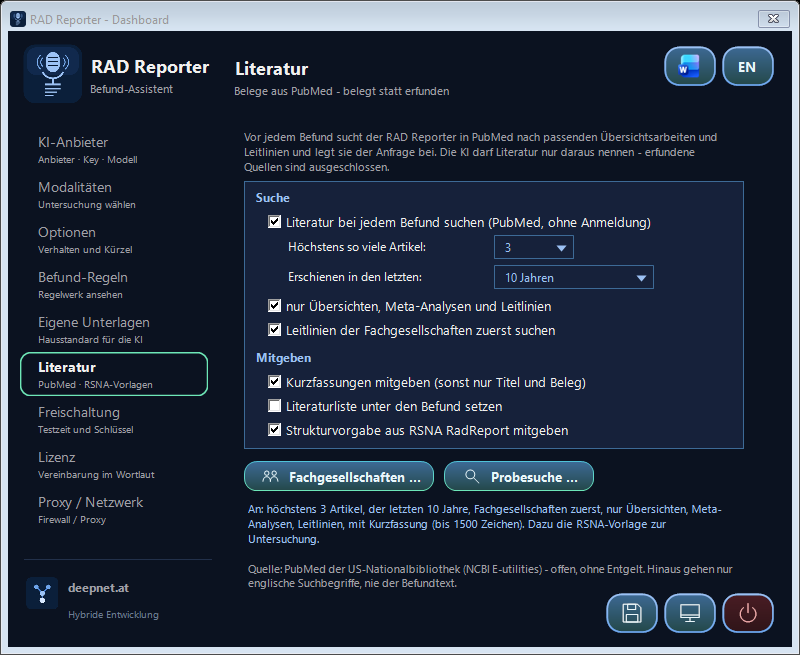
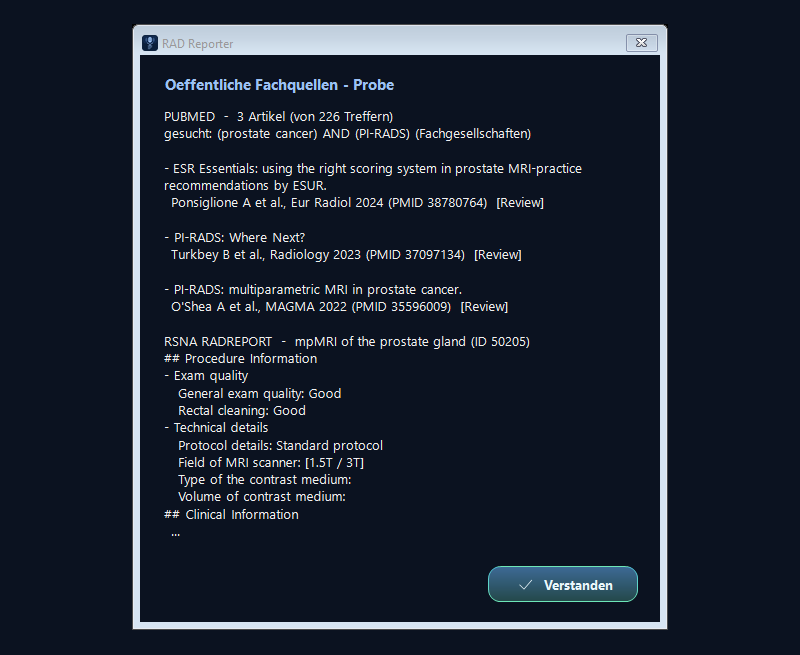
Before every report RAD Reporter queries PubMed, the database of the US National Library of Medicine: first the guidelines of the societies (EFSUMB, ESUR, ESR, ACR …), then reviews and meta-analyses; they go into the request as a cited block with author, journal, year and PMID. Plus the fitting RSNA report template (RadReport) as a checklist of report elements. The AI cites literature only from these. Only English search terms go out – never the report text.
Inserted safely
The answer is only inserted if your editor window is really back in front – otherwise it stays on the clipboard with a notice. Texts with patient data are kept out of the Windows clipboard history (Win+V) and the cloud clipboard, and your previous clipboard content is restored afterwards.
RAD Reporter builds on what you already use: four steps, all in the writing program you know, with no separate interface to learn.
On the left the one-off setup in six steps. On the right the daily work. Every picture is a screenshot from the running program, at original size.



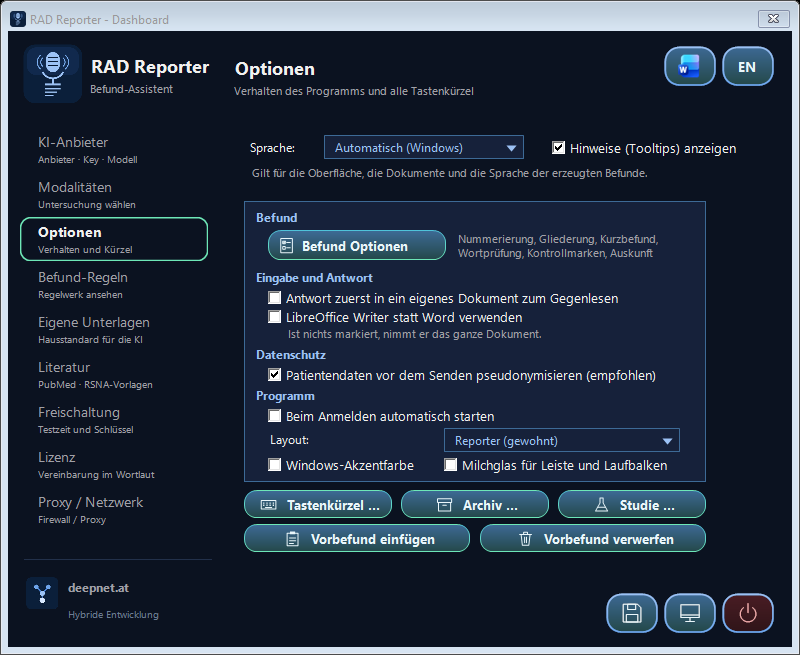
RAD Reporter is operated from the icon buttons, the icon in the notification area and global keyboard shortcuts.
How to get there
Keyboard shortcuts
| Button | Keys | Function |
|---|---|---|
 | Ctrl + Alt + B | Report synthesis – the selected dictation becomes a report |
 | Ctrl + Alt + K | Report correction – the selected report is only corrected |
| – | Ctrl + Alt + U | Restore – the text last sent comes back |
 | Ctrl + Alt + R | Learn from the correction – from the draft and your revised version the AI proposes rules – an assistant guides you in four steps: compare, choose rules, scope, adopt |
 | Ctrl + Alt + T | Writing program – start or close Word or LibreOffice Writer |
| – | Ctrl + Alt + F | Release – after proof-reading, remove the Reporter's colour marks; with a separate Word document the same as Release in the release window |
 | Click the button | Dashboard – settings, archive, study |
The same three actions also sit as icon buttons at the top right of the screen. They are there while RAD Reporter is ready; they disappear while it is working and while the settings window is open. Clicking one does not take the selection away from your editor. The bar shows only what is available right now: without an open editor window just the program icon, the Last AI answer button only once there is one (what it does: see the FAQ).
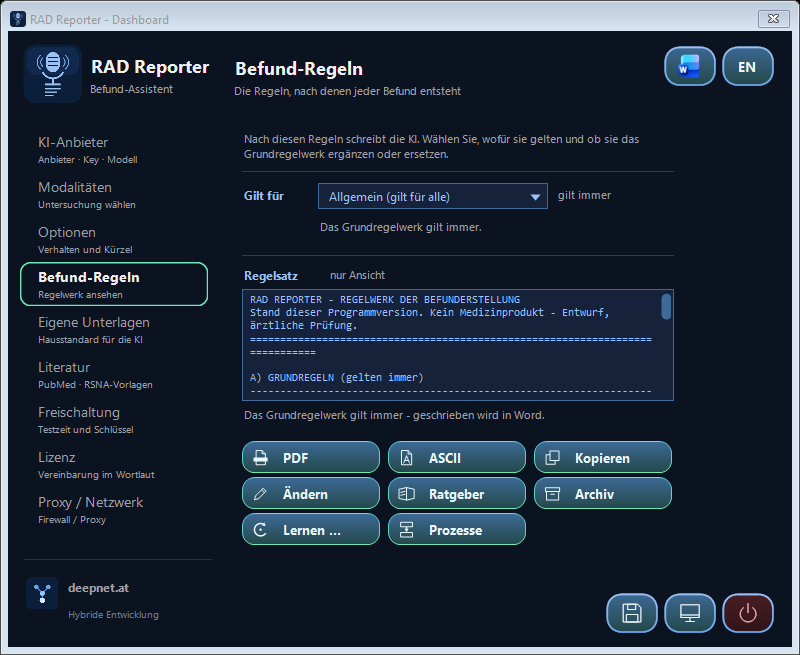
RAD Reporter does not work from a free-form prompt but from a fixed, readable rule set – eighteen ground rules that apply to every report and can be extended or overridden as needed.
The quality of the answer is decided by the request – not by the prompt.
Wording, structure and order of a request go far beyond conventional prompting. That is exactly what the deepnet reporters do for you – it is their core competence.Disclosed, not hidden
The Report rules tab shows the exact wording used to instruct the AI – as a preview, as a structured PDF or as a text file. The text is generated from the program itself and therefore can never differ from its actual behaviour. Under Modify it is editable too: you write in Word, a small panel beside it runs the procedure.
What the rules require
Completeness across the required report elements of the modality, without blanket phrases; for every pathology the decisive imaging features; an impression that interprets rather than repeats; no recommendations; no invented measurements; numbering only from two items onwards; established terminology only. If you name a diagnosis only as a word, the AI assigns to it exclusively the imaging features it must have in its minimal expression on the modality in order to be this diagnosis. Anything beyond that it does not describe – you dictate it or obtain it through the pre-processing. Dictated features always take precedence. Without a template (own documents or RSNA) the AI takes structure and terms from its radiological expertise.
A rule set says HOW a report is built. Your own documents say how it sounds in your department: which structure, which phrasing, which classifications. Both go to the AI together.
Drop them in, that is all
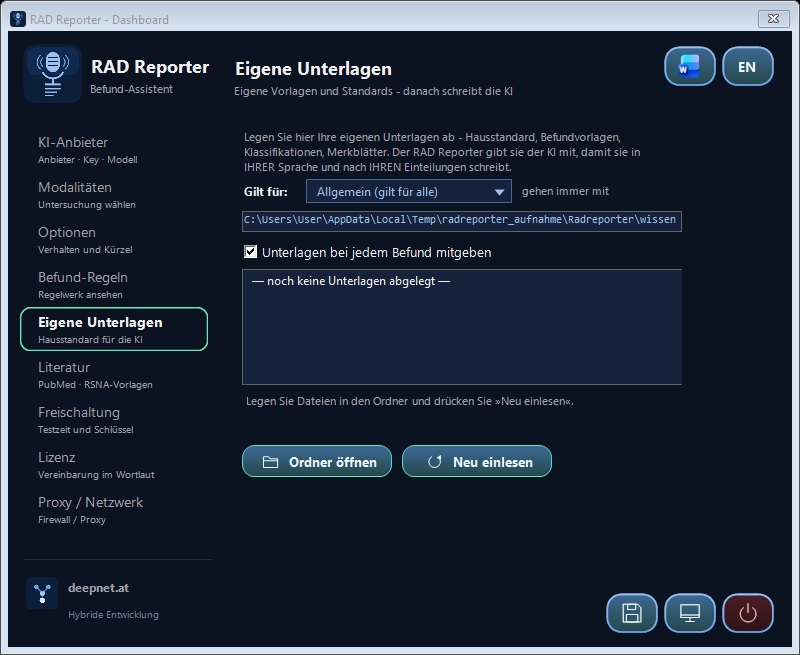
On the Own documents tab a button opens the folder. Put Word, PDF, RTF and text files there: the house standard per examination, report templates, classification tables, your list of preferred phrasings. Word and PDF files are converted to text once and remembered – after that the collection is ready the moment the program starts.
Two ways – the program picks
If the collection is small (up to about 12,000 characters) it goes along in full with every report – and the provider caches it, so from the second report on it costs almost no time and money. If it is larger, RAD Reporter looks up the fitting excerpts for each dictation – the search runs entirely on your machine, only the selection goes to the AI.
How this works in detail – caching, excerpt retrieval, the cost per report, the differences between providers and the effect of individual documents – is set out in the technical dossier.
Reports are health data and specially protected. Even after names and numbers are replaced they remain personal data, because rare findings together with age and date can allow conclusions to be drawn. RAD Reporter therefore shows you before every transmission what is sent. Note: the speech recognition of Word and Windows usually runs through the Microsoft cloud; the text leaves your computer before RAD Reporter pseudonymises it.
Review before sending
If the selected text contains personal data, RAD Reporter replaces it before anything leaves the computer – and shows you the result before it goes out.
- Detect. Before sending, RAD Reporter looks for personal data in the selected text: real names and academic titles, addresses with postcode and town, e-mail addresses, phone and mobile numbers, IBAN, account number, bank code and BIC, credit cards, social security numbers, ID card, passport and driving licence numbers, tax numbers, vehicle registration plates, IP addresses, dates of birth, company register and VAT numbers as well as patient, case and order numbers. Each is replaced by a synthetic placeholder such as [PERSON_1] or [TITEL_1]. In addition a local name model recognises people and companies from context – even a first name on its own or a foreign name. It runs on your computer only, offline. If it is missing, a check against the Windows dictionary flags unknown proper names as suspected. Medical and technical eponyms (such as “Crohn’s disease”, “Bosniak”) and courts are left as they are.
- Review. If anything was replaced or is suspected, the revised version opens in a separate Word instance – every replacement marked in red. Beside it a small window shows the mapping. You can still correct the text in Word; without Word, RAD Reporter shows it in a window of its own. Beside it is one table (since 3 October 2026): every item with the placeholder it is sent as, its type and what found it. Uncertain items are at the top in yellow; a tick replaces them, removing it puts the original back, a grey tick marks a fixed rule. Whatever you send yellow and unticked counts as harmless from then on and is no longer marked. Right-click remembers “always” or “never”; under “Missed something?” you add a name. IBAN and card numbers count only with a valid check digit, a form of address or role (“Mr”, “client”, “patient”) makes an uncertain name certain, and law-firm and partnership names are replaced as companies. The check also appears when there is only a suspicion.
- Send – or cancel. Only Send passes exactly this version to the AI; PubMed receives search terms without personal data only. Cancel means nothing is sent.
- Restore the real data – if you wish. Once the AI answer has arrived, RAD Reporter shows it in a separate Word instance with the real data put back, each item marked in green; you choose Insert real data or Keep placeholders. The mapping never leaves the computer.What the answer for restoring looks likeFor Max Mustermann, born 01.02.1960, a PI-RADS 4 lesion is seen left peripheral …
The program shows both processes under Process on the rules tab as well – with the same click texts; there they can also be saved as an image.
Rule-making
write – have it checked – settle how it applies- 1
What forGenerally – or choose a single examination.
- 2
WriteModify opens Word (otherwise LibreOffice Writer). Rules of other categories can be inherited with a double-click.
- 3
KeepYour version stays as regeln_roh.txt – it is never lost.
- 4
The AI checksContradictions among themselves AND against the general rule set, plausibility, order – the AI resolves them without inventing anything.
- 5
Settle the orderThe AI settles the order in which the parts go out: G general rule set, K rules of the category, U own documents, T your text – T always last. Measures, in this order of priority: 1. the best answer, 2. speed, 3. cost.Own documents in the fixed system block: it stays the same and is cached at the provider – faster and cheaper.Own documents immediately before the text: closer to the case, but sent anew every time.
- 6
Anything changed?The AI says whether it touched anything.yes: dossier and protocol are created.no: an old dossier is deleted, your version applies.
- 7
Dossier and protocolEvery change with its reason – and the settled order. Both stay with the category and can be viewed in Word at any time.
- 8
ScopeThe green button on the rules tab decides.extends the general rule set.replaces it – only these rules apply, plus always the mandatory rules (pathology as a word, no template, no neologisms, no questions back).
- 9
In useFor every request the parts go out in the order of the protocol: general rule set, rules of the examination, own documents – your text last.
Request
select – trigger – send pseudonymised – review- 1
SelectSelect the text – in Word, LibreOffice Writer, a PDF or the browser. The icon bar sits in the document window in front; floating on the desktop it shows only the main button (since 3 October 2026).selected: exactly this passage goes out.nothing selected: the whole document goes out.
- 2
TriggerCtrl+Alt+B for the report, Ctrl+Alt+K to only correct – or the button on the icon bar.document, PDF or browser window in front: the buttons appear in it (no correction in PDF and browser).none open: both buttons are hidden.
- 3
PseudonymiseNames, titles, dates of birth, patient, case and order numbers, social security numbers, addresses, phone, e-mail, account and ID numbers are replaced on your computer by placeholders such as [PERSON_1]. Findings, measurements and age remain. A local name model also recognises people and companies from context (without it: dictionary suspicion).on (default): only the placeholder text goes out – to the AI and to PubMed.off (Options): the text goes out unchanged.
- 4
Check before sendingIf anything was replaced or is suspected, a separate Word instance shows the version that goes out – placeholders in red, the mapping beside it. One table: every item with placeholder, type and origin; tick = replaced, uncertain items YELLOW at the top – sent unticked, they count as harmless from then on; right-click: always/never.Send: the version – corrected in Word if need be – goes out.Cancel: nothing is sent.
- 5
Literature and templateThe AI derives English technical terms from the pseudonymised dictation; only these go to PubMed – first for guidelines of the societies (EFSUMB, ESUR, ACR …), then in general. The RSNA report template for the exam comes along as a checklist. Literature may be named only from these.found: the articles go along – cited, not invented.nothing found, switched off or a mere correction: without literature.
- 6
Build the requestThe parts go out in the order of the protocol – your text last. Large collections contribute only the fitting excerpts: each excerpt carries its heading, and the search runs on wording and on meaning. A small language model on your machine finds the passage even when you name it differently – ask about poor kidney values and you get the section on filtration rate. Nothing goes online.examination replaces: only its own rules.examination extends: general rules + its rules + documents.
- 7
To the AIStraight to the chosen provider over HTTPS, with your key – it is stored encrypted with Windows data protection (DPAPI). A continuous progress bar with the reporter's emblem shows every step up to the finished answer – provider, model, time; Cancel stops the request at any time, the cancellation is logged and listed as “cancelled” in the archive. As its last rule the AI checks every word for plausibility – in the text it was given as well; ambiguous passages are rendered neutrally and reported as “unclear in the text”. On request (Options, off by default) the word and sense check follows – still with placeholders: fixed spellings, invented words and wrongly used terms. What Windows spell check, the texts sent along and the learned term list do not know, the AI checks in a short extra call; confirmed words are learned, wrong ones replaced at once next time.cut off or connection lost: the program continues by itself.complete: word and sense check if switched on, then re-insertion.
- 8
Real data back?If the answer contains placeholders, a separate Word instance shows it with your real data – the re-inserted details in green.Insert real data: this version goes on, corrected in Word if you wish.Keep placeholders: the answer stays as it came.
- 9
Where to?A read-only document, a PDF or browser window, or the box on the Options tab decides.a separate Word document – proof-read, then Release or Cancel.in place of the selection.
- 10
InsertThe target window is brought back to the front; in Word the answer takes exactly the place of the selected passage. An open editor window receives it as well. If the target window is not really in front, the answer stays on the clipboard with a notice.
- 11
ReportThe box on the Options tab decides. The report always appears in front – even when Word is on top.on: model, stop reason, tokens, cache, replacements.off: just a short notice.
- 12
Review and take responsibilityCtrl+Alt+U brings the original back – the answer was a draft.
The steps outlined in amber are decisions; below them you see what happens in either case. The green box is the result.
What defines RAD Reporter is not radiology but the interplay of two things: what you put in, and the rules by which it becomes a text. Both can be carried over to other fields without changing the tool itself.
From a keyword to a text
You enter whatever you have: a bunch of single words, phrases and sentences, up to entire complex texts. No fixed form, no input mask – the tool arranges the material instead of demanding it.
A code of rules, not a free-form prompt
Added to it is a code of rules for judgement: fixed, readable rules that determine what is checked, how it is weighted and in which order it is written. Only this pairing – material and code – makes the AI answer and judge in the intended direction.
Many fields, one pattern
RAD Reporter is cut to radiological reporting – the principle behind it is not. What is exchanged is not the technology but the code of rules: expert opinions, findings, minutes, technical and test reports, legal and commercial texts all follow the same pattern.
Hardly feasible in a chat window
In an ordinary AI chat this pairing is hardly achievable: the rules would have to be supplied again with every request and held together across dozens of follow-up questions. Here they are fixed and take effect identically at every keystroke.
Meaning is recognised by the expert
Recognising the meaning of the generated texts remains always the expert's task. The AI formulates and arranges; whether the result holds is decided by the specialist – and only by them.
RAD Reporter is not offered as an open download; it is released personally – the same path as the pilot project's demo. Confirm your e-mail address and the download is available right away.
- Send the form
You receive an e-mail with a confirmation link, valid for 48 hours. Without confirmation your entry is deleted automatically after a few days. - Confirm your address
The link leads straight to the download of the installer Setup_RAD_Reporter.exe; the same message carries the SHA-256 checksum for comparison. The download link is personal, valid for 14 days and can be withdrawn at any time. - Activate
I create the activation key for your particular computer individually and send it by e-mail – procedure under Activation.
One installer that brings everything along – install, start, activate, enter your key.
-
Run the installer
Run Setup_RAD_Reporter.exe. It brings everything along – the program, the language model for the meaning-based search and the required runtime files –, checks the requirements (Windows 64-bit with .NET Framework 4.7.2, present on Windows 10 and 11; plus Microsoft Word – without Word LibreOffice Writer), shows the licence for confirmation and puts everything into one folder,
C:\RAD Reporterby default. No registry or environment entries. If Windows SmartScreen reports an unknown file: the files are not signed – only run what you received through your personal link.Details
- On request it creates shortcuts in the Start menu and on the desktop.
-
Start the program
Via the shortcut or Radreporter.exe in the installation folder: RAD Reporter places itself invisibly in the background, puts its icon in the notification area and shows the icon buttons at the top right.
Details
- Starting it twice does not create a second instance – it simply brings up the settings of the running program.
- Activate On first start the Activation window opens. The procedure is described in the next section; without activation the program writes no reports.
-
Enter your API key
In the AI provider tab choose a provider and paste your own API key; “Test connection” checks it right away. The key is stored encrypted with Windows data protection (DPAPI) in
radreporter.ininext to the EXE (or under%APPDATA%\Radreporterif that folder is read-only).Details
- With Ollama no key is needed: the model runs locally on your machine.
- Behind a firewall: tab Proxy / network.
-
Optional: start automatically
In the Options tab the checkbox “Start automatically at logon” switches autostart on and off: when set, saving writes an entry under
HKCU\; clearing it removes the entry again. No Windows service is installed. To uninstall, run Entfernen.bat in the installation folder (clear the checkbox first): it removes the program and the shortcuts, your documents and the activation stay.Software\ Microsoft\ Windows\ CurrentVersion\ Run Details
- What remains:
radreporter.ini, the foldersUnterlagenandFreischaltungin the installation folder and, if used,%APPDATA%\Radreporterwith the activation mark and the log – delete them by hand if you wish.
- What remains:
RAD Reporter is activated per machine. This keeps track of where the program runs, and modified copies cannot activate themselves.
-
Read the request code
The Activation window (automatic on first start, later in the dashboard, tab Activation) first sums up in a few sentences what the program does – the same text as at the top of this page – and below it shows this machine's code, e.g.
RR-AKTIV-XXXXXXXXXXXXXXXX-0. It is derived from a one-way function over the Windows device ID – it cannot be traced back to the machine or to you. - Send the code Send request sends the request with your e-mail address straight to the licence server. If that is not possible, Prepare e-mail sets up a ready-made message to the licensor, or you copy the code. What is transmitted is listed below.
-
Enter the key
You receive an activation key of the form
PCK2-YYYYMMDD-…. Pasting the entire reply e-mail into the field is enough – the key is extracted, even if the mail program wrapped it over several lines. “Activate” checks it immediately.Details
- The key is an RSA signature over exactly this request code. It is valid once and only on this machine; on another machine it is rejected.
- The program verifies with the public key only – it cannot create an activation itself.
- The expiry date is taken from the signed key only.
-
After the trial period
The first activation is valid for three months and is not extended. Seven days before expiry the program reminds you at start-up. To continue, press Request a licence in the Activation window: it prepares an e-mail with your request code. The payment method is communicated when the request is made. Once payment has arrived you receive the key – for one year with SMART, for one month with FLEX; to renew, simply send the request code again. No reinstallation, settings are kept.
Details
- The mark is stored in
%APPDATA%\and is bound to the machine: copying it elsewhere has no effect.Radreporter\ radreporter_aktiv.dat
- The mark is stored in
RAD Reporter is activated per computer. After the trial you choose the plan that suits you. The payment method is communicated when the request is made. The reference is the request code; an invoice is issued on request.
| Plan | Licence fee | What you get |
|---|---|---|
| SMART – annual commitment | EUR 50.00 / monthbilled annually at EUR 600 | About 17 per cent less than monthly – the economical choice for an established practice with firm planning. |
| FLEX – cancellable monthly | EUR 60.00 / monthbilled monthly | Full flexibility without a long commitment – for project teams, growing practices or a risk-free start. |
On top: only the usage-based cost of your provider's AI interface – about EUR 10 a month for 200 reports through the Claude interface. Run locally with Ollama, that cost drops to EUR 0.00.
Please note: All figures on operating and third-party costs – in particular the fees of the AI providers – are estimates based on the information currently available. Provider prices may change, and actual usage depends on how you work. We therefore cannot guarantee the costs actually incurred.
Right of use
An activation covers one computer; further computers are activated individually. What you use RAD Reporter for is entirely at your own discretion. Reselling, distributing modified versions and removing the activation are not permitted. Passing the unmodified file to colleagues is welcome – their computers are then activated separately.
Responsibility
The software is provided “as is”. I accept no responsibility for how it is used and no liability for any resulting damage, as far as legally permissible; intent and gross negligence are exempt. Every generated text is a draft that you review and take responsibility for.
Data protection
The selected text goes to the AI provider you choose – the one your API key belongs to, with placeholders instead of patient data, which you review before sending (review before sending). deepnet.at operates no server for this and receives neither texts nor keys. Before using real data, check your contractual situation with the provider (data processing agreement) – or use Mistral (EU) or Ollama locally.
Licence agreement in full
RAD REPORTER - LICENCE AGREEMENT
Version 1.3 - as of 14 Oct 2026
Licensor: Dr. Herbert Schuster, deepnet.at ("Licensor"). Licensee: the natural or legal person installing or using the software ("Licensee"). The software "RAD Reporter", including the program and its documentation ("Software"), is supplied exclusively under the following terms. By starting or using it the Licensee accepts these terms. Anyone who does not accept them must not use the Software.
1. PURPOSE AND RESPONSIBILITY
1.1 The Software turns keywords, dictation or text fragments into coherent prose. It is a writing tool and NOT a medical device within the meaning of Regulation (EU) 2017/745; it is not CE-certified and not intended for clinical diagnosis, treatment decisions or patient care.
1.2 Every generated text is a DRAFT without independent validity. The Software sees no images and makes no medical statement; it merely formulates what the Licensee supplies. Reviewing, completing and releasing each text is solely the Licensee's responsibility.
1.3 What the Licensee uses the Software for is entirely at the Licensee's own discretion. The Licensor accepts no responsibility for that use. The Licensee ensures that such use is permissible in their setting, in particular under professional, medical device and data protection law.
2. SCOPE OF THE LICENCE
2.1 The Licensor grants the Licensee a simple, non-exclusive, non-transferable and non-sublicensable right to use the Software on ONE computer for the Licensee's own purposes. Each additional computer requires a further activation.
2.2 The activation is bound to the machine. One backup copy is permitted. Passing on the UNMODIFIED program file is permitted; the recipient needs their own activation and becomes a Licensee under this agreement.
2.3 Not permitted are in particular: resale, rental, lending and use on behalf of third parties as a service; modification of the Software and distribution of modified versions; decompilation, disassembly and reverse engineering except to the extent mandatorily permitted by law; circumventing, removing or altering the activation or other technical protection measures; removing or altering copyright, licence and warning notices.
2.4 The Software is protected by copyright. All rights not expressly granted remain with the Licensor; the source code is not part of this licence.
3. TRIAL PERIOD, FEE AND ACTIVATION
3.1 The first activation of a computer is valid for 3 months and serves for evaluation. There is no free extension of this trial period.
3.2 After the trial period the Licensee chooses one of two plans, in each case per computer:
SMART - EUR 50 per month with a one-year commitment, billed annually in advance at EUR 600.
FLEX - EUR 60 per month, cancellable monthly.
Both plans cover use on one computer and the updates of the version series 1.x. The payment method is communicated when the request is made. The reference is the computer's request code. Activation follows receipt of payment through a personal key. An invoice is issued on request.
3.3 The activation is valid for the period paid for. SMART renews for a further year, FLEX for a further month, unless cancelled by the end of the respective period; cancellation is informal. After expiry the software continues to run but requires a new key. Texts, rules and settings already created remain untouched.
3.4 The cost of the AI interface is borne by the Licensee directly towards the provider. It accrues by usage (around EUR 10 per month for about 200 requests) and does not arise when running locally without a provider.
3.5 The key is bound to the computer it was issued for. There is no claim to re-issue; if a computer is replaced or reinstalled the Licensor will, on request, issue a new key to a reasonable extent.
3.6 Consumers have a right of withdrawal of 14 days for distance contracts. For digital content it lapses if the Licensee expressly consents to provision before that period ends and acknowledges losing the right of withdrawal thereby. This consent is obtained explicitly at purchase.
4. AI PROVIDER, DATA AND DATA PROTECTION
4.1 The Software processes no data on the Licensor's servers. The selected text is transmitted directly to the AI provider chosen by the Licensee, with whom the Licensee holds their own access key. The Licensor receives neither the texts nor the access key.
4.2 The Licensee is responsible for that transmission under data protection law. Before using personal data the Licensee checks in particular whether a data processing agreement with the AI provider exists and whether the transmission is lawful. The Licensor recommends anonymising data beforehand or choosing a locally operated provider.
4.3 Activation transmits only administrative data: the Licensee's e-mail address for the reply, a request code derived from a one-way function over a device identifier, the program language, the Windows computer name and a request file with counter and time (for a renewal also the previous key). The Licensor's server processes the IP address in doing so. Reports, texts and access keys are not transmitted. Details are set out in the privacy policy.
5. WARRANTY AND LIABILITY
5.1 The Software is supplied "as is". No particular fitness, freedom from defects, availability or factual correctness of the generated texts is warranted. There is no claim to maintenance, further development or support.
5.2 The Licensor is liable only for intent and gross negligence. Liability for slight negligence, indirect damage, loss of profit, loss of data and consequential damage is excluded as far as legally permissible. Liability for personal injury and mandatory statutory liability, in particular under product liability law, remains unaffected.
5.3 In particular the Licensor is not liable for the content, completeness or use of the generated texts, nor for the services, availability or charges of the AI provider chosen by the Licensee.
5.4 Mandatory consumer rights remain unaffected by clauses 5.1 to 5.3.
6. TERM
6.1 This agreement applies from first use. In the event of a breach of clause 2 the right of use lapses without further notice and the Software must be deleted.
6.2 The Licensee may end the use at any time by deleting the Software. Fees already paid are not refunded unless a right of withdrawal under clause 3.6 applies.
7. FINAL PROVISIONS
7.1 Austrian law applies, excluding the UN Convention on Contracts for the International Sale of Goods and the conflict-of-law rules of private international law. For consumers this choice of law applies only in so far as it does not deprive them of mandatory protection under the law of their country of residence.
7.2 The place of jurisdiction for disputes with entrepreneurs is the competent court at the Licensor's registered office. For consumers the statutory places of jurisdiction apply.
7.3 Should any provision be invalid, the remainder of the agreement stays in force; the invalid provision is replaced by the permissible rule closest to its economic purpose.
7.4 The German version of this agreement prevails.
Contact: Dr. Herbert Schuster - kontakt@deepnet.at - https://deepnet.at
Do I need a special speech recognition
No. RAD Reporter takes whatever text is selected – dictated, typed or pasted. Word or Windows dictation is sufficient.
Which model is preset
Claude Opus 5 – the most capable model on offer. Any other model of the chosen provider can be entered in the AI provider tab.
What happens if the answer runs too long
Nothing you would notice: RAD Reporter continues it by itself (see the product description); how often is shown in the report after the answer. There is no time limit, and if the connection drops what has arrived is kept. If the provider reports overload (HTTP 529, 503 or 502), the program retries up to twice by itself.
Do I need Word
Yes – RAD Reporter requires Microsoft Word. Without Word it works with LibreOffice Writer (free): answer document, writing program, rules and dossier then open there. If both are missing, an installation guide leads through setting up Writer; without Writer the program ends. On the Options tab Writer can also be chosen instead of Word; the dashboard button then shows the Writer icon.
Can I store rules for ONE examination only
Yes. Select the examination at the top of the rules tab and write its own sentences – they apply while that selection stands; details under Rules per examination and Rule-making.
How do I quit RAD Reporter
At the bottom right of the dashboard there are three image buttons: Save – the dashboard stays open, a short notice confirms; To the desktop – the dashboard goes into the taskbar, the Reporter keeps running; Quit – quits the whole application, and if a report is being written you are asked first. Neither the program icon on the bar nor the icon in the notification area offers Quit; right-clicking the icon in the notification area opens the dashboard.
Where are my documents and rules stored
In the program's folder: Unterlagen for the general files, Kategorien\<name> for those of a single examination. Everything stays with the program – nothing is scattered across the user profile. Anything from earlier versions is taken over once at the first start.
Is there a report following STARD
Yes. In study mode the STARD report button creates a table referenz.csv in the case folder: per case a target condition such as PI-RADS ≥ 4, BI-RADS ≥ 4 or Bosniak ≥ III, the reference (yes/no) and its source, e.g. histology. From every report text the program reads the highest category and creates per arm – prompting only, RAD Reporter, expert – a 2x2 table, sensitivity, specificity and predictive values with 95% confidence intervals, the flow diagram and the STARD checklist. Indeterminate reports (no category) are listed separately.
What does a report cost
Your AI provider bills you. RAD Reporter keeps count: Usage and costs on the AI provider tab books every call with its tokens and the cost at the model's price – per case, day, week and month, exportable as CSV. The costs shown are an estimate based on the information currently available – the provider's invoice is authoritative, and the costs actually incurred cannot be guaranteed.
What does RAD Reporter cost – and can the trial be extended
The three trial months are not extended. After that SMART (EUR 50 per month with a one-year commitment) or FLEX (EUR 60, cancellable monthly), per computer, plus your AI provider's charges (an estimate based on current information, without guarantee) – arithmetic and payment under cost structure and analysis.
Which language does the program work in
In German or English – switchable on the Options tab, preset from your Windows language. The choice applies throughout: interface, rule set, licence, the PDF documents and also the language of the generated reports. A change takes effect immediately, without a restart.
How is my API key stored
Encrypted with Windows data protection (DPAPI) – readable only by the same Windows user on the same computer. The same applies to the PubMed (NCBI) key and proxy password. Plain-text entries left in the settings by an older version are converted automatically at the first start.
An answer got lost – can I get it back
Yes. Every answer is saved at once. The Last AI answer button on the icon bar opens the last saved one in Word, or in LibreOffice Writer if Word is not installed; it is on the clipboard as well.
Does patient data go to deepnet.at
No – see data protection. What goes to your AI provider you see yourself first: review before sending.
Can I change the rule set
Yes. On the Report rules tab, Modify opens the text in Word (otherwise in LibreOffice Writer). “Apply and have it reworked” backs up the previous version and has the AI check and tighten the text once. Two older versions are kept and the factory version can be restored at any time; if you change nothing, no AI request is made.
Can the AI follow our house standard
Yes – that is what the Own documents tab is for; how it works is described under Own documents.
Where does the literature come from – and can the AI invent sources
From PubMed and the RSNA report template – the procedure is described under Literature cited, not invented; the AI may cite literature only from it. The AI derives the English search terms from your dictation before every report. Everything can be set or switched off on the Literature tab; if you prefer to do without abstracts, only title and citation go along.
What may I use RAD Reporter for
That is entirely at your own discretion – right of use, responsibility and the “not a medical device” notice are set out under Licensing.
Still have questions? The contact form reaches me directly.